For travellers · free with your account
Digital travel passport with a stamp for every stay.
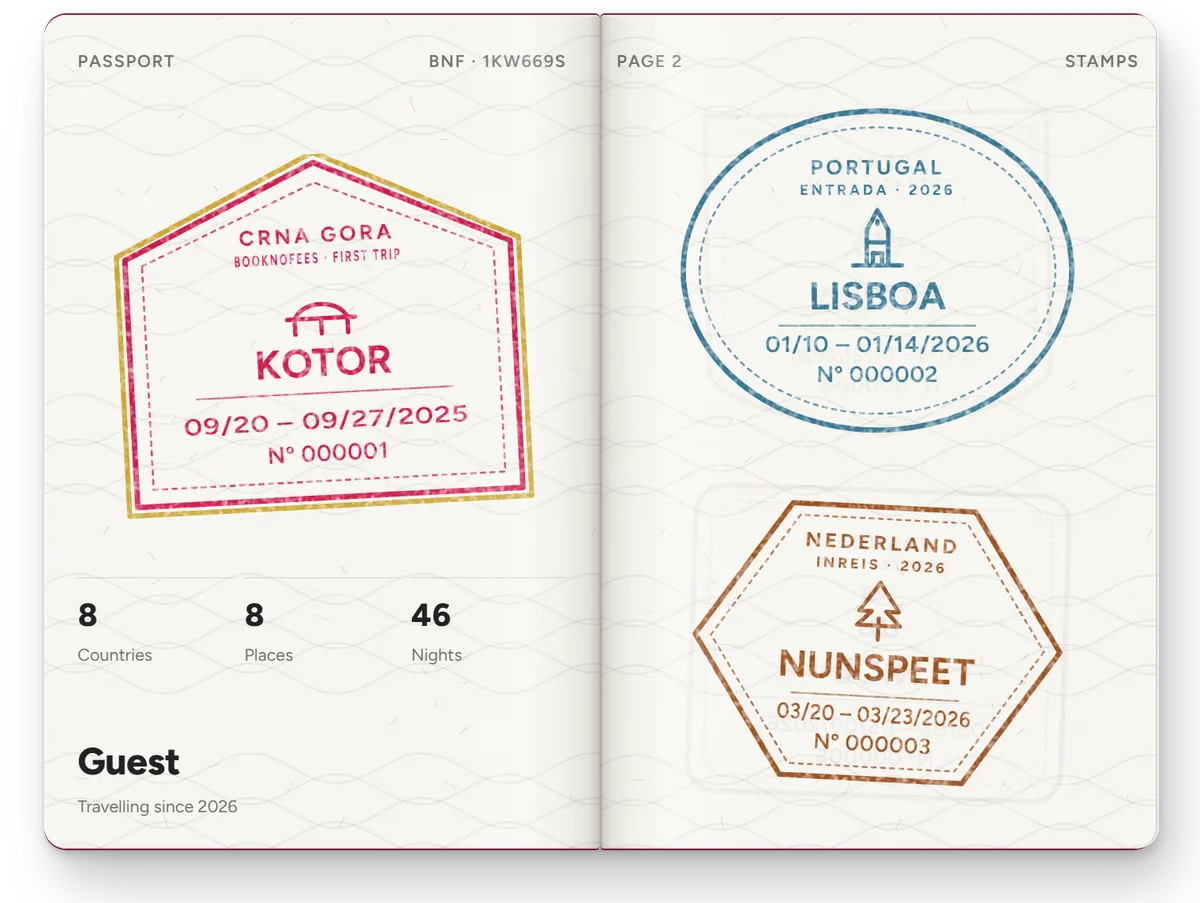
Digital travel passport by BookNoFees: every home you book on BookNoFees gets its own stamp in your passport once you leave, with the town, the country and your dates.
Not an official document: the passport is a keepsake of your trips and does not replace your passport or ID card.
The sample passport shows invented trips. Your own one is on your profile.
How it works
Book, travel, collect
Book a home
Book a stay on BookNoFees, wherever you travel.
The stamp follows your stay
On your departure day the stamp is in your passport: town, country, dates and the booking’s number on BookNoFees.
Your trips add up
Page by page, the passport fills with your trips.
Inside the passport
More than a list of bookings
A stamp of its own
Many countries have their own stamp with a drawing of something they are known for. Elsewhere the stamp shows the kind of place you stayed in.
Tap a stamp
A stamp opens its stay: the home, your dates and nights, and while the home is online, the way to book it again.
Your host’s words
When your host writes a review of your stay, it appears on the page under the stamp.
Travel together
Whoever travelled along on your booking and accepted your invitation gets the same stamp.
Your totals
From your fourth stamp, a last page counts your stays, countries and nights. From there you can share how many stays and countries you have, with a link to BookNoFees.
Yours to show
Only you and the hosts you send a booking request to see your passport.
Questions
What travellers ask
Is the passport an official document?
No. The BookNoFees passport is a keepsake of your trips, not an identity document. For travelling you need your passport or ID card as before.
What does it cost?
Nothing. The passport comes with your free BookNoFees account.
Which stays get a stamp?
Every stay booked on BookNoFees, from your departure day. Stays booked elsewhere do not get a stamp.
Where do I find my passport?
On your profile, once you are signed in. It opens there in place, on the phone as on the computer.